Warming up
Free tool
Email warmup schedule calculator.
This calculator generates a free, instant day-by-day email warmup schedule based on your mailbox's age, target daily send volume, and provider (Gmail, Outlook, or other). No signup, no email address required.
How the calculator works
Enter your mailbox's age, your target daily send volume, and which provider you send through. The calculator starts at a conservative daily volume and steps it up every few days until it reaches your target — newer mailboxes and Gmail/Outlook get a slower ramp since their spam filters weight early sender reputation most heavily.
Manually running a ramp like this works, but it's easy to send too much too soon once you're busy. See the full process in how Warmerly works if you'd rather automate it.
How long does email warmup take?
For most senders, a brand-new domain and mailbox need roughly 2-4 weeks before it's safe to send at full target volume. A mailbox that already has some sending history but has gone quiet for a while typically needs less — around 1-2 weeks to rebuild reputation. Senders planning very high volumes (thousands of emails a day) should budget 6-8 weeks of gradual increases rather than trying to compress the ramp into a fixed short window.
Those windows aren't arbitrary — they roughly track how long Gmail, Outlook, and other major inbox providers take to build a stable sender-reputation signal for a new or dormant sending identity. Ramping faster than that doesn't just risk the spam folder for that batch of emails; it can suppress deliverability for weeks afterward while the provider re-evaluates the domain.
How many emails can you safely send per day?
Gmail's technical ceiling is 500 emails per rolling 24 hours for free personal accounts (2,000 for Google Workspace); Microsoft 365/Outlook enforces similar hard limits. Those numbers are the provider's cap, not a safe starting volume — a new mailbox that suddenly sends close to its technical limit on day one reads as anomalous behavior to spam filters, cap or no cap.
As a rough guide: a brand-new mailbox should start around 5-10 emails a day, a mailbox under six months old can usually start higher and ramp faster, and an established mailbox with a clean sending history can often step straight to 50-100+ a day and continue climbing from there. Enter your own mailbox age and target volume above for exact day-by-day numbers instead of a rule of thumb — or run the deliverability checker first if you're not sure your domain's SPF/DKIM/DMARC setup is ready to send at all.
Frequently asked questions
How is the warmup schedule calculated?
It starts from a conservative daily volume based on your mailbox's age, then ramps up every few days toward your target — more slowly for newer mailboxes and for Gmail/Outlook, whose spam filters weight sender reputation heavily during the first sends.
How long does it take to warm up a new email domain?
Most guidance (and Warmerly's own ramps) land in a similar range: about 2-4 weeks for a brand-new domain and mailbox, and 1-2 weeks for an established one that's just been quiet. High-volume senders — thousands of emails a day — often need 6-8 weeks of gradual increases rather than a fixed schedule.
How many emails can a new Gmail or Outlook account send per day?
Gmail caps free personal accounts at 500 emails per rolling 24 hours (2,000 for Google Workspace); Outlook/Microsoft 365 has similar hard limits. Those are ceilings, not safe starting points — a brand-new mailbox should send closer to 5-10 a day in week one, not hundreds, or spam filters will flag the sudden volume regardless of the provider's technical limit.
Does the ramp differ between Gmail, Outlook, and other providers?
Yes. Gmail and Outlook run the most aggressive reputation-based spam filtering, so the calculator paces mailboxes on those providers more slowly in the first two weeks. Other providers (Zoho, custom SMTP, etc.) get a slightly faster ramp since their filters weight early sender history less heavily — though the safe-volume principle is the same everywhere.
What if my bounce rate or spam complaints rise while ramping?
Pause the ramp and drop back to the previous step's volume for a few more days before continuing. Rising bounces or complaints are the clearest signs you're ramping too fast.
Is this the same as what Warmerly automates?
This gives you the schedule to follow manually. Warmflow runs the actual warmup — sends, replies, and engagement — automatically against an aged peer pool, so you don't have to manage the ramp by hand.
More free tools
Reputation
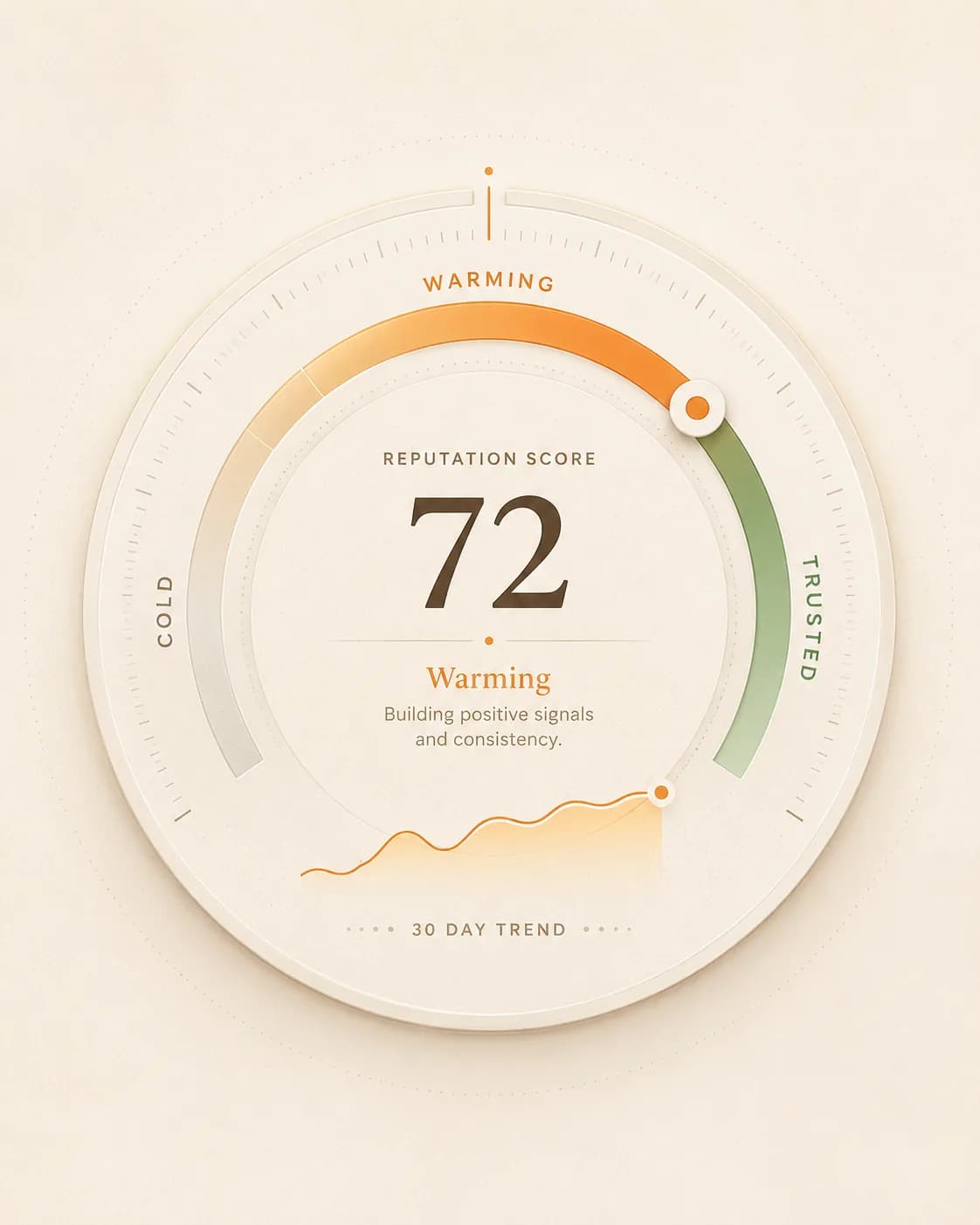
Warming is a band, not a finish line.
A new mailbox starts cold and moves through warming towards trusted. The schedule this calculator produces is the safe path between those states — send faster than it and the progress resets.
Warmerly tracks the same score continuously and sets daily volume from it, so the ramp responds to how your mailbox is actually being received rather than to a fixed plan written on day one.
Want Warmflow to run this ramp for you?
Warmflow automates warmup sends, replies, and engagement against an aged peer pool — so you don't have to track the ramp by hand or risk sending too fast.